

Video Wallpaper is a great way to add some life to your desktop. It's easy to use and allows you to set a video file as your wallpaper with plenty of playback options. You can pick a clip of the suitable length and quality, adjust the visualization and size of the resulting projection, and even enable or disable the screensaver mode for the file. Overall, Video Wallpaper is a great way to customize your desktop with some fun and interesting visuals.
As its name implies, this program allows you to use a video as your default wallpaper, which is also used as the default screensaver when the computer is inactive.
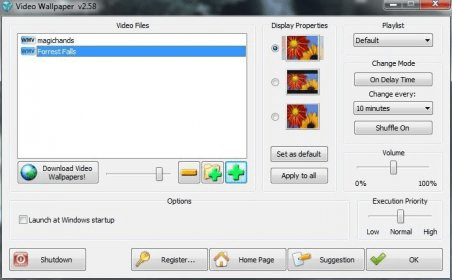
The program is really easy to operate. In the main interface you only need to select the video you want to use as your wallpaper. It can be a video you downloaded from the Internet, or a video you recorded. In fact, from this interface you can access a webpage where you can download wallpapers specifically designed for this program. You can choose from different categories, such as landscapes, waterfalls, nature, and more.
You can control the way in which you want the video to be shown. For example, it can appear on full screen, at its original size, or stretched to fill the entire screen. If the video has a sound track, you can control its volume. Also, you can create a playlist of videos and set how often you want the program to change the default video.
This program can be resource-intensive, so you need a good equipment to use it at its best. Also, it can be distracting for some people.
The trial version shows a "nag screen" after a certain time of use. If you want to get rid of it, then you will need to purchase a license.





Comments (1)
I immediately send support an email and asked them for a refund. I hope they will give me back my money. Did you or anyone else have good or bad experiences with this company?
I will try and post later if they did not reply to my email.